A0 Poster Size Explained: Exact Dimensions, Uses, and Buying Guide
If you have ever stood in front of a conference display or a cinema lobby board and wondered how printers produce something that large from a single sheet, the answer usually comes down to one specification: the A0 poster size. Measuring 841 mm by 1189 mm, A0 is the largest standard format in the ISO 216 A-series and the anchor point from which every smaller paper size — A1, A2, A3, A4 and beyond — is derived. It is roughly one square metre of printable surface, which makes it both impressively big and mathematically elegant.
Designers, marketers, students and event organisers all run into A0 eventually, whether they are laying out a scientific poster, a film promotion, a retail window display or a piece of oversized wall art. The trouble is that A0 sits in an awkward middle ground: too large for a desktop printer, too small to be called a banner, and specific enough that guessing the dimensions will almost always cause problems. This guide breaks down the exact A0 poster size, how it relates to the rest of the A-series, and what you need to know before you send a file to print.
What Exactly Is the A0 Poster Size?
The A0 poster size is defined as 841 millimetres wide by 1189 millimetres high, or 84.1 centimetres by 118.9 centimetres. Converted to imperial units, that is approximately 33.1 inches by 46.8 inches. Multiply those figures together and you get 999,949 square millimetres, which is why A0 is commonly described as having an area of one square metre. The tiny discrepancy exists because the dimensions are rounded to the nearest millimetre, as required by the ISO 216 standard.

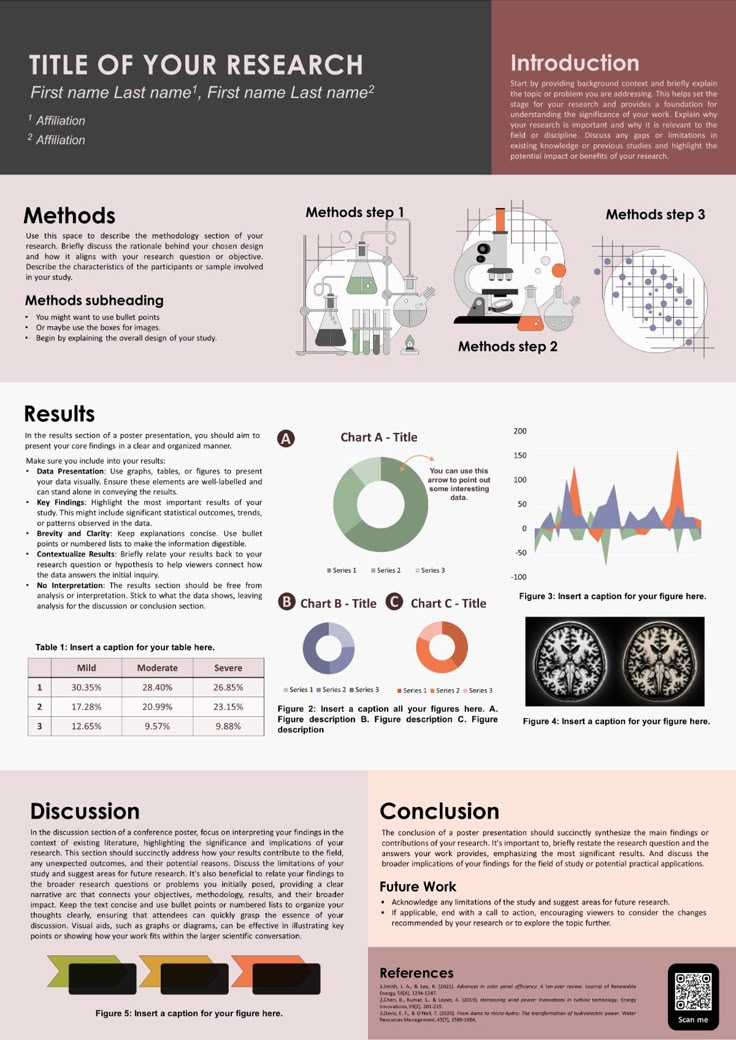

Orientation matters here, just as it does with any paper size. A0 portrait is 841 mm wide and 1189 mm tall, while A0 landscape flips those numbers to 1189 mm wide and 841 mm tall. The sheet itself does not change, but the way you present the design absolutely does. A landscape A0 poster feels panoramic and works well for timelines, process diagrams and multi-column layouts, whereas a portrait A0 poster reads more like a traditional billboard or cinema one-sheet.
A0 Dimensions in Millimetres, Centimetres, and Inches
Most print shops in Europe, Australia and Asia will ask for your artwork in millimetres, so it helps to have the numbers memorised or saved in a note. An A0 sheet is 841 × 1189 mm. In centimetres that is 84.1 × 118.9 cm, and in inches it works out to 33.11 × 46.81 in. If you are designing in points or picas, that translates to roughly 2384 × 3370 points.


These conversions are not just trivia. If you mix units carelessly in your design software, you can accidentally create a document that is 841 inches wide instead of 841 millimetres, which will produce a file so large that no print server will touch it. Set your document units before you start drawing, and double-check the final export dimensions against the numbers above. The full A-series comparison below shows how A0 sits relative to its smaller siblings.
| Size | Millimetres | Centimetres | Inches |
|---|---|---|---|
| A0 | 841 × 1189 mm | 84.1 × 118.9 cm | 33.1 × 46.8 in |
| A1 | 594 × 841 mm | 59.4 × 84.1 cm | 23.4 × 33.1 in |
| A2 | 420 × 594 mm | 42.0 × 59.4 cm | 16.5 × 23.4 in |
| A3 | 297 × 420 mm | 29.7 × 42.0 cm | 11.7 × 16.5 in |
How A0 Fits Into the ISO 216 A-Series
The A-series is built on a beautifully simple rule: every size is exactly half the area of the one before it, created by cutting or folding along the longer edge. Fold an A0 sheet in half and you get two A1 sheets. Fold those again and you have A2, then A3, then A4. This means A0 contains 16 A4 sheets, 8 A3 sheets, or 4 A2 sheets, which is genuinely useful when you are planning a modular wall display or calculating how many handouts you can fit into a mailing tube alongside a rolled poster.
The series also maintains a consistent aspect ratio of 1:√2, approximately 1:1.414. This is what allows scaling to work so cleanly — a design made for A4 can be enlarged by 400 percent to fit A0 without any cropping, stretching or awkward white space. It is also why ISO 216 includes the rarely used 2A0 (1189 × 1682 mm) and 4A0 (1682 × 2378 mm) formats above A0, though most commercial printers treat A0 as the practical upper limit for standard sheet-fed work.


Designing and Printing an A0 Poster
Because A0 is the largest mainstream format, it demands more from your file setup than a simple A4 flyer. Printers rarely hold A0 paper in stock in every finish at every moment, and large-format machines require generous lead times. Being organised before you send the file saves money, avoids reprints and keeps your deadline intact.
The biggest practical hurdle is resolution. A photograph that looks razor-sharp on a laptop screen can fall apart when stretched across a metre-wide sheet, and text that reads comfortably at A4 becomes invisible from three metres away. Planning for viewing distance, not just pixel counts, is the real skill in A0 design.
Resolution, File Setup, and Pixel Dimensions
There is no single correct pixel dimension for A0, because it depends entirely on the output resolution your printer uses. At 300 DPI — the gold standard for anything viewed up close — an A0 file needs to be 9933 × 14043 pixels. At 150 DPI, which is perfectly acceptable for a poster read from a metre or more away, you need 4967 × 7016 pixels. At 72 DPI, suited only to very distant viewing, the file is 2384 × 3370 pixels.


In practice, most large-format print bureaus recommend 150 DPI at final size for posters viewed from a reasonable distance, and 300 DPI for anything containing small text, fine line art or detailed maps. Vector elements such as logos, charts and typography scale infinitely and never lose sharpness, so keep those as vectors wherever possible and reserve high-resolution raster images for photographs only. Always export a flattened PDF or TIFF at final size rather than asking the printer to scale your file up.
Bleed, Safe Margins, and Material Choices
Bleed is the extra image area that extends beyond the finished trim line, and for A0 posters the industry standard is 3 mm on every edge. That means your artwork canvas should actually measure 847 × 1195 mm, with all critical content — logos, text, QR codes — kept at least 10 mm inside the trim line. Without bleed, a fraction of a millimetre of misalignment during trimming leaves a thin white border that looks unprofessional on a full-colour design.
Paper choice has a visible impact at this scale. A 200 gsm silk or gloss stock is the everyday workhorse, thick enough to hang flat but flexible enough to roll into a tube. For a premium feel, 250 to 300 gsm matte stock resists glare and fingerprinting, which matters under gallery or exhibition lighting. Beyond paper, you can specify foam board mounting for a rigid, frameless finish, adhesive vinyl for windows and walls, or outdoor-grade media with UV-resistant inks if the poster will face direct sunlight.
Practical Uses and Costs of A0 Posters
A0 occupies a sweet spot between a standard office print and a full commercial banner, which is why it turns up in so many different environments. It is large enough to command attention from across a room but small enough to fit in a car, a lift or a modest exhibition stand. That versatility keeps demand steady across education, retail, entertainment and corporate sectors.
Costs vary widely depending on material, quantity and turnaround. A single A0 print on standard 200 gsm paper from an online printer might cost the equivalent of a modest lunch, while a short run on premium matte stock with foam board mounting can easily run several times that. Rush jobs, unusual finishes and small quantities all push the price upward.
Where A0 Posters Work Best
Academic and scientific conferences are perhaps the most enthusiastic users of A0. Poster sessions typically allocate each presenter a board sized for A0 portrait, allowing a dense mix of abstract, methodology, charts and references to be read comfortably by small groups of visitors. Retailers use A0 for seasonal promotions and window graphics, where the format gives enough space for a bold headline and a large hero image without overwhelming the shopper.
Cinemas and streaming campaigns often lean on A0 or its near neighbour, the 27 × 40 inch US one-sheet, for lobby displays. Offices and schools use A0 for wall planners, safety notices, organisational charts and inspirational artwork. Photographers and illustrators find A0 an attractive size for limited-edition prints, since it delivers serious visual impact while remaining shippable in a standard poster tube.
Viewing Distance and Budgeting Considerations
Viewing distance should drive almost every decision about an A0 poster. The general rule of thumb is that body text needs to be readable from roughly one metre away, headline text should be legible from three metres, and any hero image must hold up from five metres or more. As a starting point, body copy at A0 should rarely be smaller than 24 points, with headlines often sitting between 72 and 200 points.
On the budgeting side, always ask your printer whether the quoted price includes trimming, bleed handling and packaging. Shipping an A0 poster flat usually costs far more than sending it rolled in a rigid tube, and a rolled poster almost always needs to be weighted down or mounted before it will hang flat. If you need multiple copies for an event, ordering a short run is often dramatically cheaper per unit than ordering singles, so it pays to plan ahead rather than printing one at a time.
Whether you are finalising a conference display, a shop window promotion or a large-format print for your living room wall, getting the A0 poster size right from the very first document setup will save you hours of frustration and at least one expensive reprint. Save those dimensions — 841 × 1189 mm, or 33.1 × 46.8 inches — somewhere handy, keep your bleed and margins in order, and choose a resolution that matches how close your audience will actually stand. Do that, and the sheer scale of an A0 sheet becomes an advantage rather than a headache.
Related Articles

What Size Is a Twin Comforter? Exact Dimensions & Buying Guide
If you are shopping for a twin bed, you have probably noticed that a twin comforter is not one universal size. Most twin comforters measure about 64 to 68...

Regular Poster Size: The Ultimate Guide to Standard Dimensions for Printing
Walk into a print shop and ask for a regular poster size, and you may get a knowing nod or a clarifying question. The term sounds official, but it is really a...

Deck Boards Size Guide: Standard Dimensions, Widths & Thickness Explained
Choosing the right deck board size is one of the first decisions you will make when planning a new deck, and it quietly shapes almost everything that follows...

6d Nail Size Explained: The Ultimate Guide to Nail Dimensions for DIYers
Walk down the fastener aisle of any hardware store and you will find boxes labeled with cryptic shorthand: 4d, 6d, 8d, 16d. If you are building a fence...

2x12 Actual Dimensions: Real Size, Chart & Buying Guide
If you have ever picked up a 2x12 at a lumberyard, you may have noticed something odd: it does not measure 2 inches thick or 12 inches wide. That is not a...

Ring Doorbell Pro Dimensions: Exact Size, Specs & Fit Guide
If you are planning to install a Ring Video Doorbell Pro, one of the first specifications you will need to confirm is its exact dimensions. The physical size...